Other Features
Mapping Analysis
The mapping analysis will locate the found repeats into gene features (CDS, UTR, intron, exon). Before mapping, you should import gtf or gff annotation files.
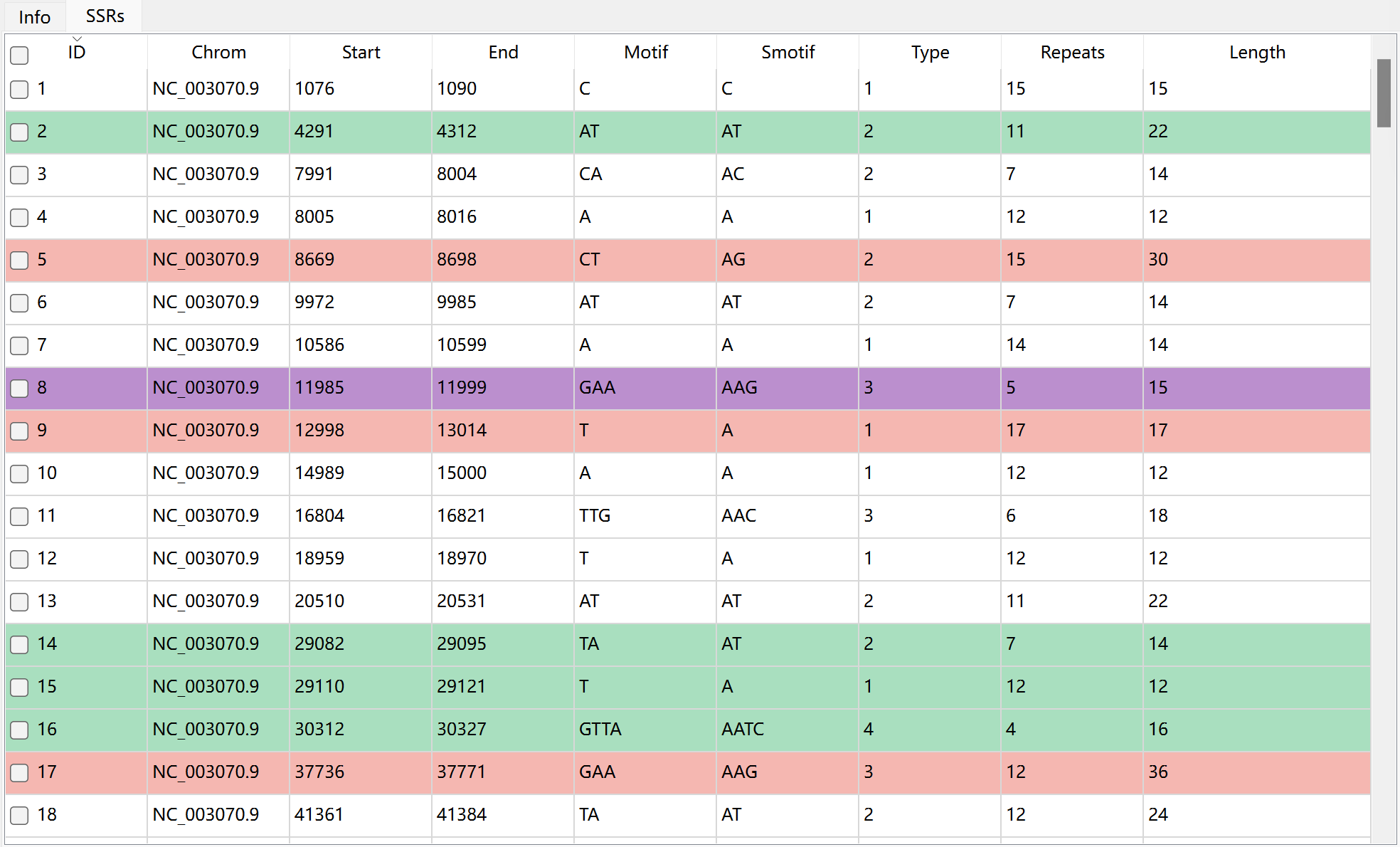
Go to Toolbar, and then click  to perform mapping analysis. After mapping, the repeats mapped in gene exon (pink), intron (green), CDS (purple), 3’UTR (blue), 5’UTR (yellow) will be marked as different colors in table.
Design Primer
Krait2 use primer3 to design primers. Before primer design, you can set corresponding parameters for primer3. The meaning of primer3 tags can be found in primer3 manual.

First, you should select some repeats in table, and then click  to design primers. If primer designed successfully, the primers will be displayed in Primer result table.
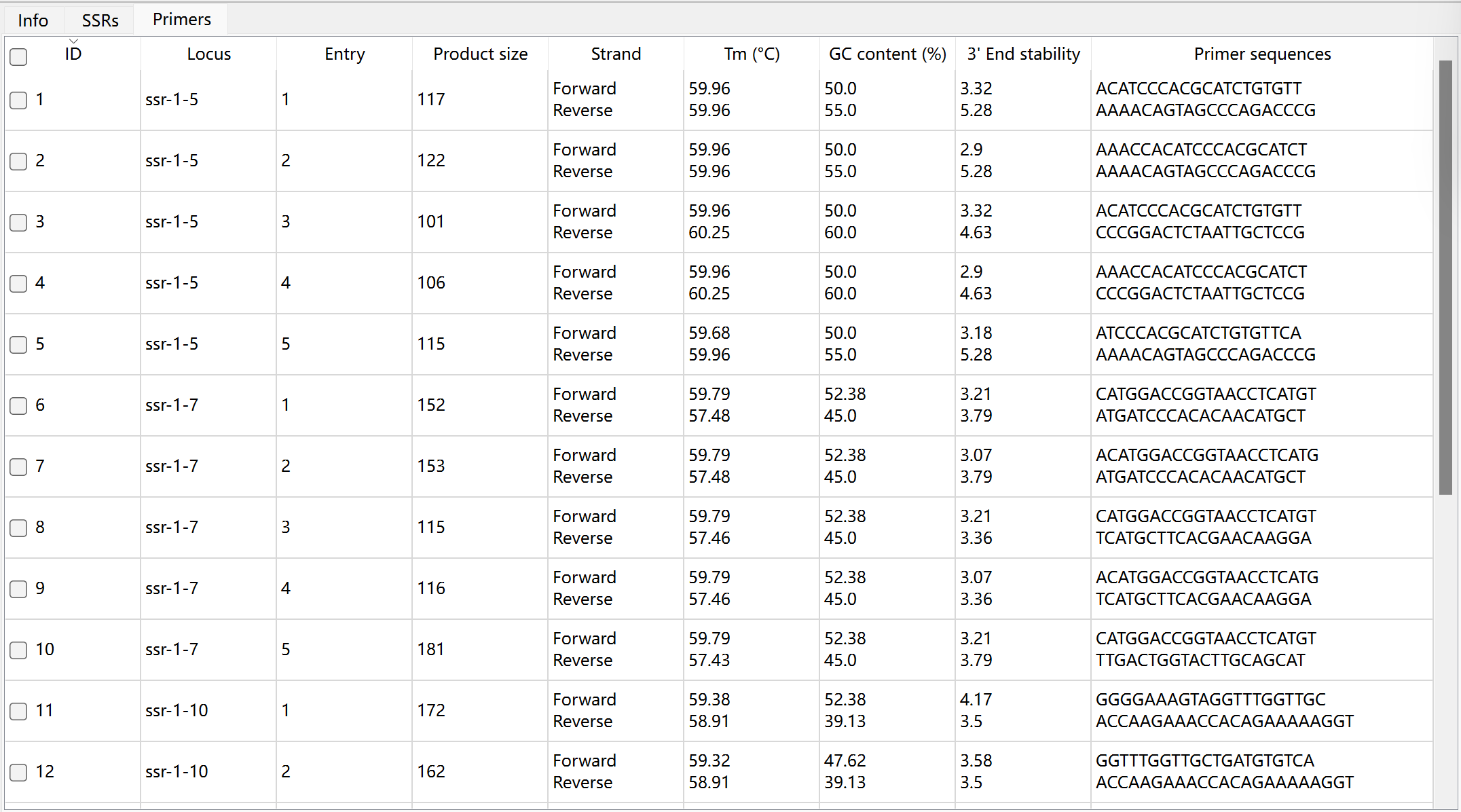
The description of each column in primer result table:
Column |
Description |
|---|---|
ID |
unique identifier generated by Krait |
locus |
repeat identifier which is composed of repeat type, input file id and repeat id |
entry |
primer entry id, each locus may has multiple designed primers |
product size |
product size |
strand |
forward or reverse |
Tm |
melting temperatures for forward and reverse primers |
GC content |
GC content for forward and reverse primers |
3’ End stability |
3’ end stability for forward and reverse primers |
primer sequences |
primer sequences for forward and reverse primers |
Click the row in primer table, you can view the primer sequence location in input sequence file. The sequences enclosed by the dotted boxes are the positions of the primers.

Perform Statistics
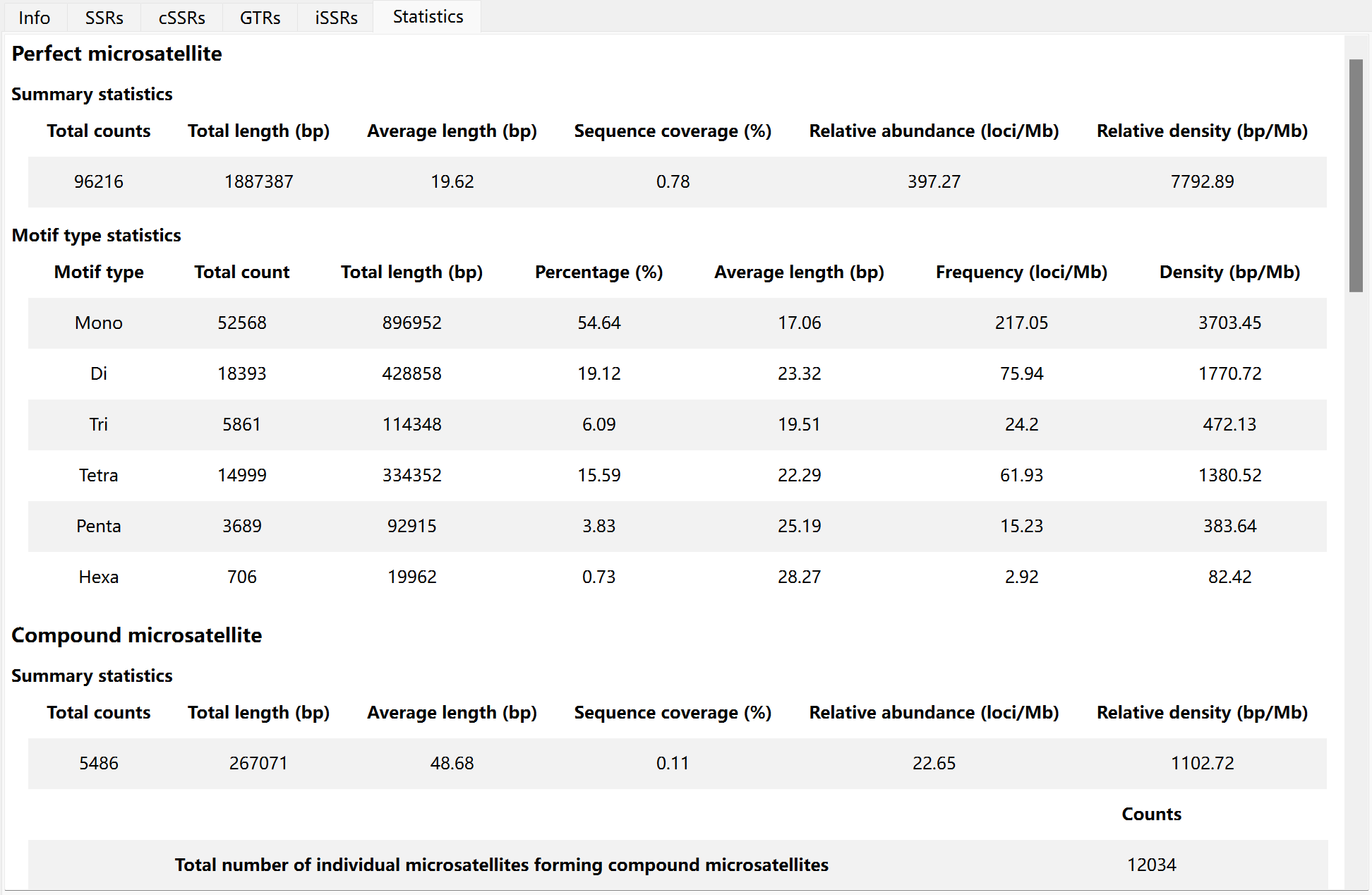
After searching repeat, you can click  to perform statistics analysis. Then, you can view the short statistics report in statistics tab.
Motif Standardization
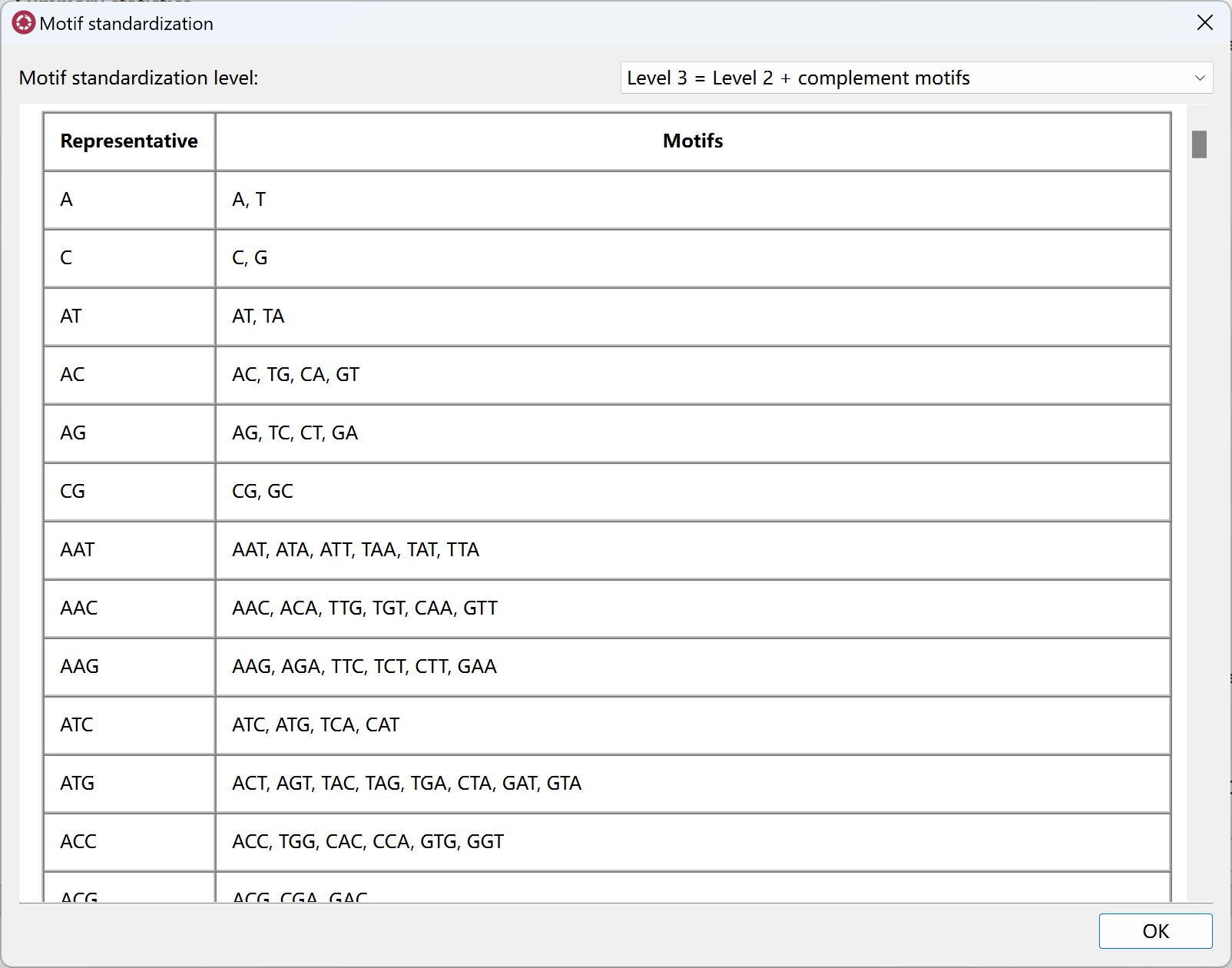
Before statistics analysis, Krait2 will standardize the motif sequence and provide four standardization levels.
Level 0
no standardization will be performed
Level 1
Standardize similar motifs. For example, AGA can be viewed as AAG. AAG can represent AAG, AGA and GAA.
Level 2
Standardize reverse complementary motifs, including Level 1. For example, CAT is a reverse complementary motif of ATG. ATG can represent TGA, GAT, CAT, ATC and TCA
Level 3
Standardize complementary motifs, including Level 1 and Level 2. For example, TAC is a complementary motif of ATG. ATG can represent TGA,GAT, CAT, ATC, TCA, TAC, ACT and CTA
Level 4
Standardize reverse motifs, including Level 1, Level 2 and Level 3. For example, GTA is a reverse motif of ATG. ATG can represent TGA,GAT, CAT, ATC, TCA, TAC, ACT, CTA, GTA, TAG and AGT
You can go to Tool menu, click Show motif standardization to view the representative motifs.
Filter Tables
The repeats in current table can be filtered by setting different conditions according to each column. Go to Toolbar and click  to open filter dialog.
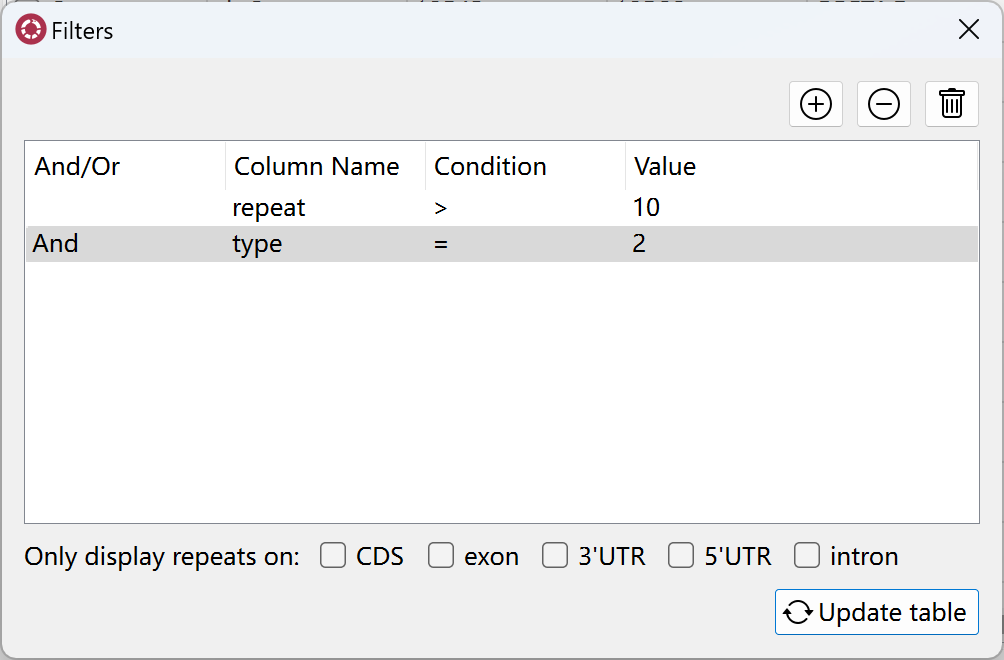
Click  to add filter condition, click
  to remove current filter condition, click
  to clear all filter conditions, after setting filters, you can click
  update table to do filter and update the rows in current table.